
 Guards + Retainers
 Custom Night Guard
 Retainer
 Emergency Order

 Whitening
 Whitening Kit
 Teeth Whitening Gel
 Dual-Action Foam
 Cleaning + Care
 Ultrasonic Cleaner Flex
 Ultrasonic Cleaner Pro
 UV Toothbrush Sanitizer
 Deep Clean + Freshening Tablets
 Accessories
 Premium UV Guard Case
 Water Flosser
 Guard Removal Tool
 Replacement Nozzles
 Bundles
Premium UV-C Case User Manual
Remi Premium UV-C Case
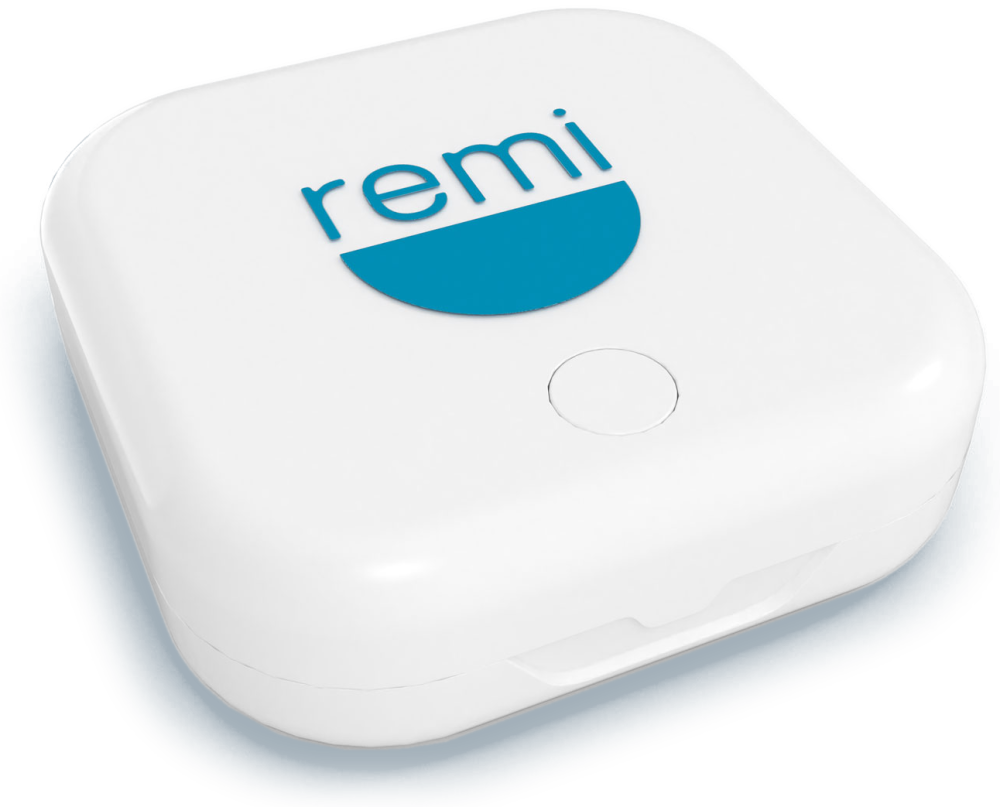
Cleans while it stores. Here is everything you need to get started: charging, your first cycle, the indicator lights, and care.
How it works
A full cycle takes just 3 minutes, and the case turns itself off when it is done.
First time opening the box? Charge it first.
Charge for about 1.5 hours, until the indicator light turns green. A charging cable is not included. Use any USB-C cable with a 5V adapter.
Step 1
Rinse
Rinse your appliance with water and pat it dry.
Step 2
Place and close
Open the lid, place your appliance on the silicone pad, and close the lid completely.
Step 3
Press
Press the ON/OFF button on top of the case. The light turns blue while it works.
Step 4
Wait 3 minutes
The cycle runs for 3 minutes, then the case turns off automatically.
Benefits
Designed to clean while it stores, so your appliance comes out ready to wear.
Three UV-C LED lights
Three UV-C LEDs are built into the lid, so light reaches your appliance from more than one spot.
Mirrored aluminum lid
The inside of the lid is lined with mirrored aluminum that reflects the light around your appliance.
One-touch cycle
One press starts a 3-minute cycle. The case turns off on its own when it is done.
Lid safety switch
A magnetic switch pauses the UV-C light if the lid is opened, and resumes it once the lid is closed.
Product structure
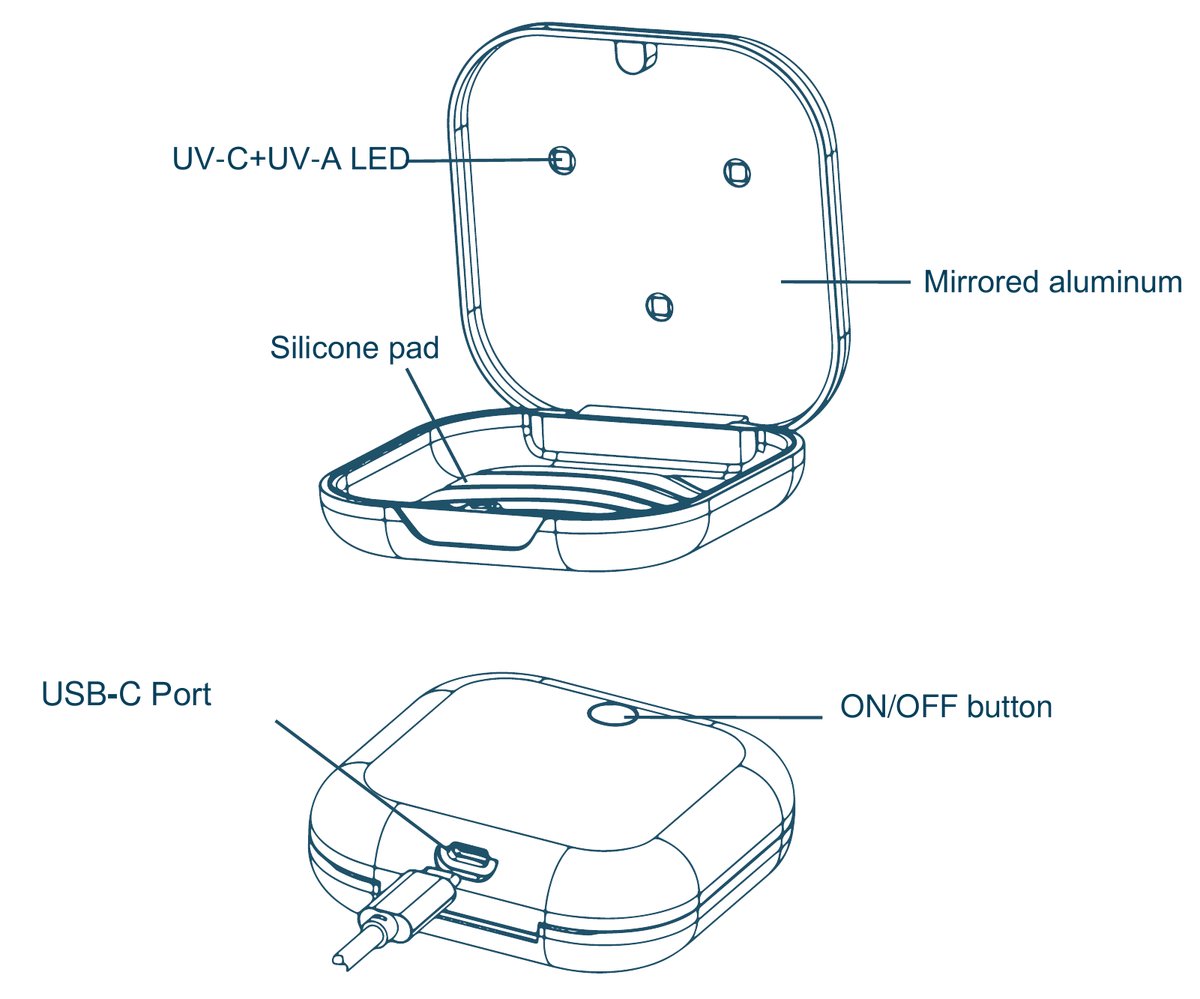
- UV-C + UV-A LEDsThree lights built into the lid
- Mirrored aluminumReflective lining inside the lid
- Silicone padWhere your appliance rests
- ON/OFF buttonOn top of the case, starts the cycle
- USB-C portCharges with any USB-C cable
What the lights mean
Works with all your dental appliances
Care and safety
Protect your eyes and skin
UV-C light is harmful to skin and eyes. Do not look directly at the UV-C light or expose your skin to it.
Never soak the case
The case cannot be soaked in water. To clean it, wipe it with a damp cloth or an alcohol wipe.
Light stays on with the lid open?
The UV-C light should pause when the lid opens. If it stays on with the lid open, please contact Remi Support.
FAQs
Do I need to charge the case before using it?
Yes. If this is your first time opening the box, charge the case for about 1.5 hours, until the indicator light turns green.
Is a charging cable included?
No. The case charges with any USB-C cable and a 5V adapter, like the one you may already use for your phone.
How long does a cycle take?
Each cycle takes 3 minutes. The case turns off automatically when the cycle is complete.
Can I use the case while it is charging?
Yes. The indicator light turns purple when the case is working while charging.
The light is flashing red. What does that mean?
A flashing red light means the battery is low. Charge the case with a USB-C cable until the light turns green.
What happens if I open the lid during a cycle?
The case has a magnetic switch, so the UV-C light pauses automatically when the lid opens and resumes once the lid is closed. If the light stays on with the lid open, please contact Remi Support.
How do I clean the case?
Wipe it with a damp cloth or an alcohol wipe. Do not soak the case in water.
What can I put in the case?
Retainers, clear aligners, night guards, mouth guards, whitening trays, dentures, and dental splints.